

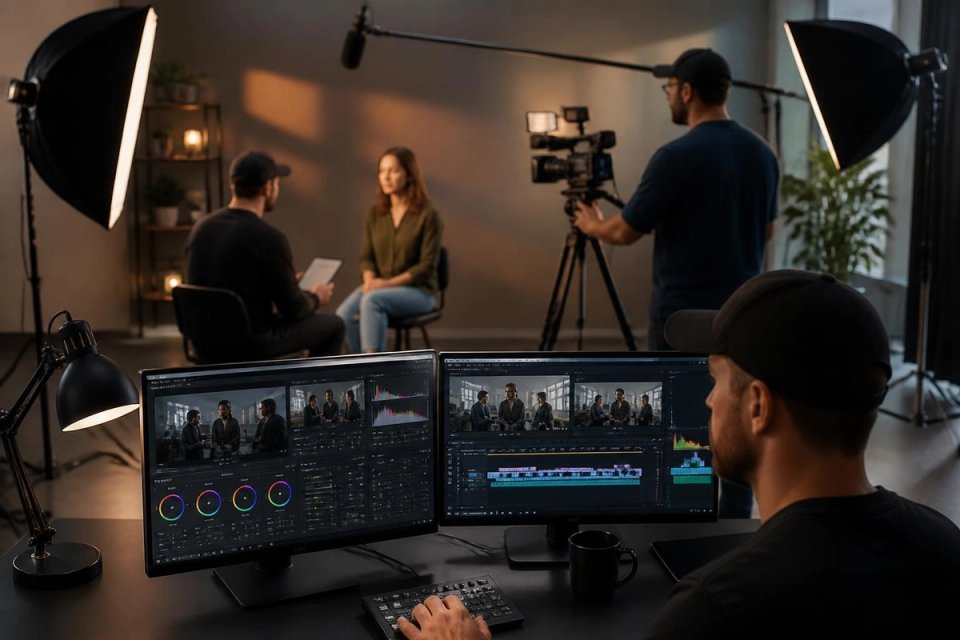
Creating professional video content requires more than pointing a camera and pressing record. To make a video high quality, you need strategic planning, proper equipment, technical expertise, and attention to detail throughout every production phase. Whether you're producing commercial content, corporate videos, or social media campaigns, understanding the fundamentals of high-quality video production ensures your content cuts through the noise and delivers measurable results. This comprehensive guide explores proven techniques and professional strategies that transform ordinary footage into exceptional visual experiences.
Understanding Video Quality Fundamentals
Video quality encompasses multiple technical and creative elements working together seamlessly. Resolution, frame rate, bitrate, color accuracy, and compression all contribute to the final output viewers experience.
Resolution and Frame Rate Specifications
Modern video production demands high-definition standards as baseline expectations. 4K resolution (3840 x 2160 pixels) has become the professional standard in 2026, offering four times the detail of 1080p HD. Frame rates determine motion smoothness, with 24fps providing a cinematic feel, 30fps serving broadcast standards, and 60fps delivering ultra-smooth action sequences.
| Resolution | Pixel Dimensions | Best Use Case |
|---|---|---|
| 1080p HD | 1920 x 1080 | Social media, web content |
| 4K UHD | 3840 x 2160 | Professional production, commercial work |
| 8K | 7680 x 4320 | Premium projects, future-proofing |
Bitrate and Compression Standards
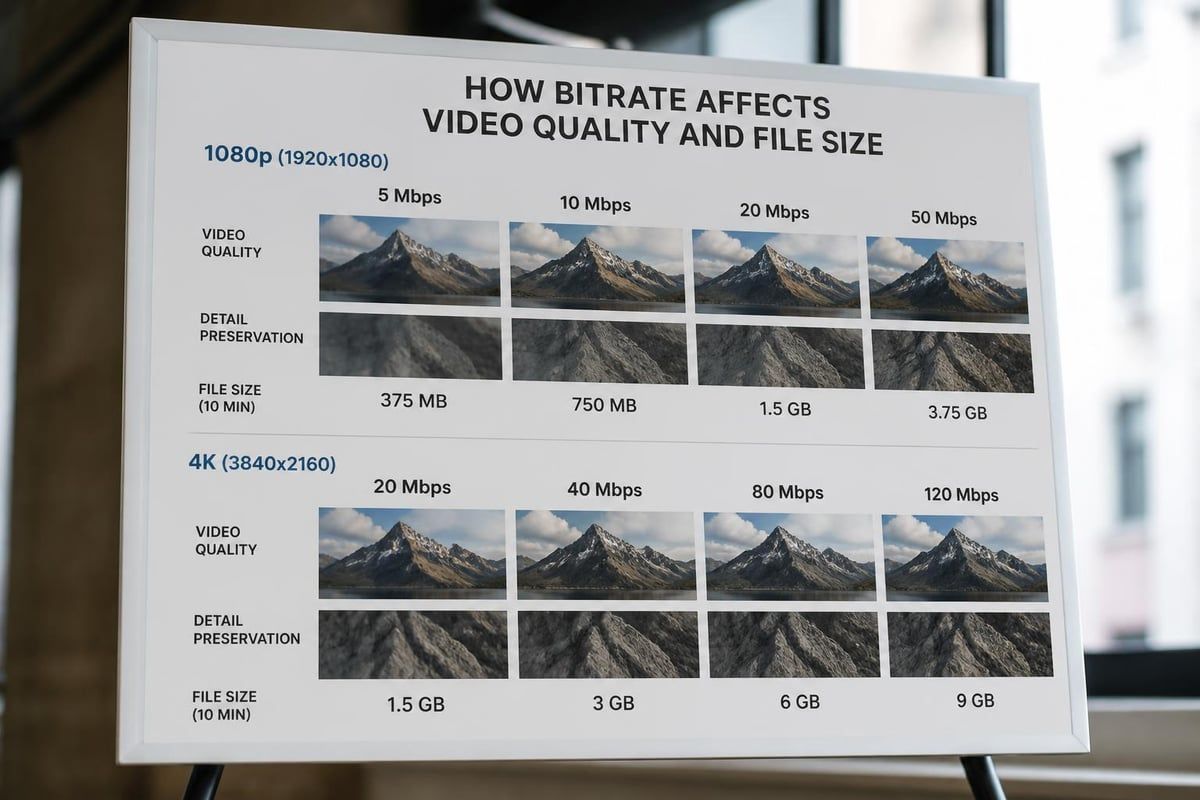
Bitrate directly impacts visual fidelity. Higher bitrates preserve more information, resulting in sharper details and smoother gradients. Professional productions typically use 100-200 Mbps for 4K footage, while social media platforms accept lower bitrates after compression. Understanding high-definition video standards helps you balance file size with quality requirements.
Equipment Selection for Superior Results
The right equipment forms the foundation for high-quality video production. While expensive gear offers advantages, strategic investment in key areas delivers better returns than comprehensive mediocre setups.
Camera Systems and Sensor Technology
Full-frame mirrorless cameras dominate professional video production in 2026. These systems offer exceptional low-light performance, shallow depth of field control, and extensive lens compatibility. Sensor size dramatically affects image quality, with larger sensors capturing more light and producing cleaner footage.
- Full-frame sensors: Superior low-light capability, cinematic depth of field
- APS-C sensors: Balanced performance, extended reach for telephoto work
- Micro Four Thirds: Compact systems with excellent stabilization
When working with commercial video production services, professional-grade cameras ensure consistent results across varied shooting conditions.
Lens Quality and Optical Considerations
Glass quality matters more than many producers realize. Prime lenses with wide apertures (f/1.4 to f/2.8) excel in controlled environments, while professional zoom lenses provide flexibility during event coverage. Invest in sharp optics with minimal chromatic aberration to maintain edge-to-edge clarity.
Stabilization Technology
Smooth footage separates amateur videos from professional productions. Gimbal stabilizers, in-body image stabilization (IBIS), and optical stabilization work together to eliminate distracting shake. For dynamic shots, three-axis gimbals provide cinematic movement that engages viewers and elevates production value.
Lighting Techniques That Transform Video Quality
Proper lighting techniques separate mediocre footage from exceptional visual content. Understanding light quality, direction, and color temperature empowers you to make a video high quality regardless of location constraints.
Three-Point Lighting Fundamentals
The classic three-point lighting setup remains the foundation of professional video production:
- Key light: Primary illumination source positioned 45 degrees from subject
- Fill light: Softens shadows created by key light, typically half the intensity
- Back light: Separates subject from background, adds depth and dimension
This approach creates dimensional, professional-looking footage that flatters subjects while maintaining visual interest.
Natural Light Optimization
When filming on location, professional advice on filming high-quality videos emphasizes working with available light strategically. Position subjects near windows during golden hours, use reflectors to bounce light into shadow areas, and avoid harsh overhead midday sun that creates unflattering shadows.
Color Temperature Consistency
Matching color temperature across all light sources prevents distracting color casts. Professional productions use 5600K daylight-balanced lights or 3200K tungsten fixtures, adjusting white balance settings accordingly. Mixed lighting situations require color correction gels or post-production grading to maintain consistency.

Audio Excellence in Video Production
Poor audio quality ruins otherwise excellent video content. Viewers forgive minor visual imperfections but quickly abandon videos with distracting or unclear audio.
Microphone Selection and Placement
Different shooting scenarios demand specific microphone solutions:
| Microphone Type | Best Application | Typical Range |
|---|---|---|
| Shotgun | On-camera dialogue, controlled environments | 2-4 feet |
| Lavalier | Interviews, presentations, hands-free recording | 6-12 inches |
| Wireless handheld | Events, roving reporting, performance capture | Variable |
Position microphones as close to the sound source as possible while remaining out of frame. For interviews and corporate video production, lavalier microphones hidden under clothing provide broadcast-quality audio without visual distraction.
Acoustic Environment Control
Room acoustics significantly impact audio quality. Hard surfaces create echoes and reverb, while soft materials absorb sound. When filming indoors, minimize background noise, use sound blankets to dampen reflections, and monitor audio levels continuously through headphones.
Recording Levels and Backup Audio
Maintain audio levels between -12dB and -6dB to prevent clipping while capturing adequate volume. Always record backup audio on separate channels when possible. This redundancy saves productions when primary audio encounters issues.
Camera Settings and Shooting Techniques
Technical camera settings directly influence whether you successfully make a video high quality. Mastering exposure, focus, and composition transforms raw footage into polished content.
Exposure Triangle Mastery
Balancing aperture, shutter speed, and ISO creates properly exposed footage. Follow the 180-degree shutter rule by setting shutter speed to double your frame rate (1/50s at 24fps, 1/60s at 30fps). This produces natural motion blur that appears cinematic rather than stuttered or overly smooth.
- Aperture: Controls depth of field and light intake
- Shutter speed: Affects motion blur and exposure duration
- ISO: Adjusts sensor sensitivity (keep lowest possible for minimal noise)
Focus Techniques for Sharp Footage
Sharp focus draws viewer attention exactly where intended. Use focus peaking and magnification to ensure critical sharpness on subject eyes during interviews. For moving subjects, continuous autofocus systems in modern cameras track subjects reliably, though manual focus provides absolute control in complex scenes.
Composition and Framing Principles
Strong composition engages viewers and communicates professionalism. Apply the rule of thirds by positioning subjects along intersecting grid lines. Maintain adequate headroom (space above subjects), use leading lines to guide viewer eyes, and incorporate foreground elements for depth.
Detailed guides on how to make a video high quality emphasize that composition choices made during filming save hours in post-production while delivering superior results.
Post-Production Enhancement Strategies
Professional editing, color grading, and sound design elevate good footage into exceptional final products. Post-production provides opportunities to refine every element captured during filming.
Color Grading Workflow
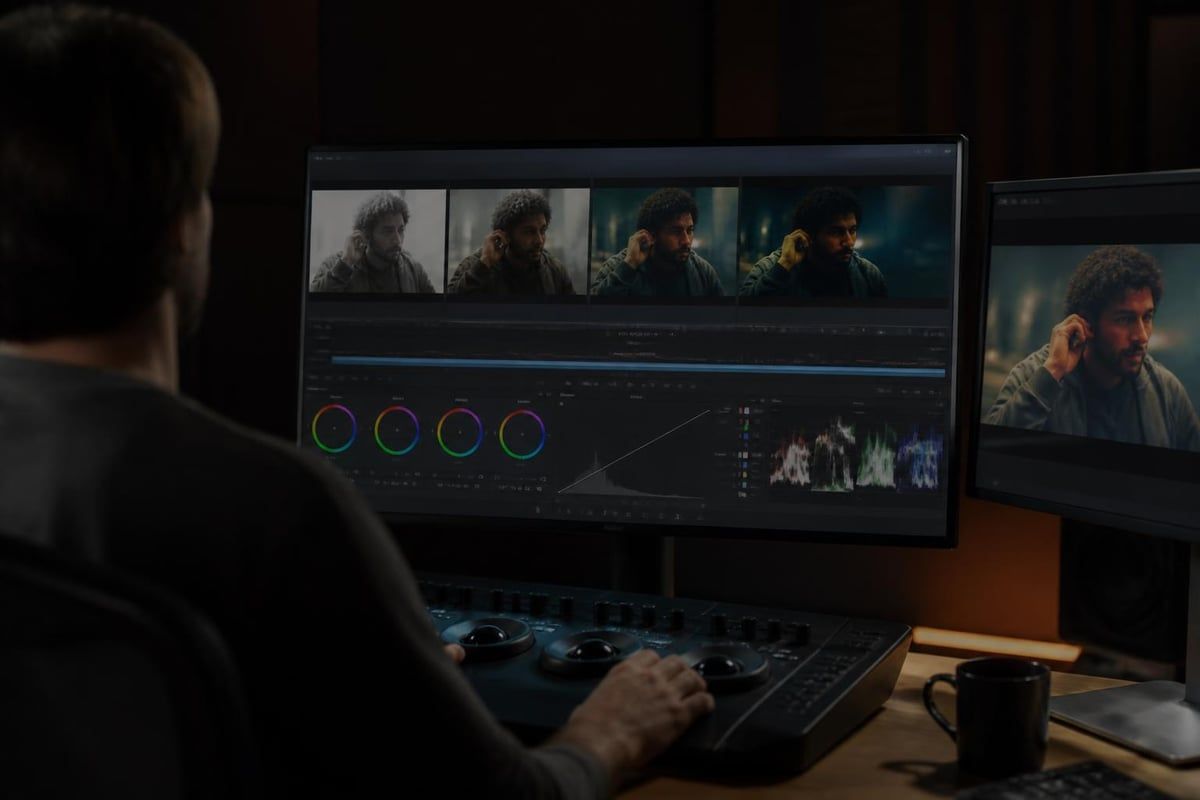
Color correction and grading separate amateur videos from professional productions. Start by balancing exposure and white balance across all clips, then apply creative grades that establish mood and reinforce brand identity. Use LUTs (Look-Up Tables) as starting points, then customize adjustments for specific footage characteristics.
Professional workflows involve:
- Primary color correction (exposure, white balance, contrast)
- Secondary adjustments (isolated color enhancements)
- Creative grading (mood, style, brand alignment)
- Final output color space conversion
Audio Mixing and Sound Design
Layer audio elements to create rich, immersive soundscapes. Balance dialogue, music, and sound effects at appropriate levels. Dialogue should peak around -12dB to -6dB, music beds sit lower at -18dB to -12dB, and sound effects punctuate specific moments without overwhelming.
Apply noise reduction to clean background hiss, use compression to even volume fluctuations, and add subtle reverb to match acoustic environments visually presented on screen.
Sharpening and Detail Enhancement
Strategic sharpening enhances perceived clarity without introducing artifacts. Apply sharpening during final output stages rather than throughout editing. Use unsharp mask or smart sharpening filters at subtle levels (20-40% strength) to avoid over-processed appearance.
For footage requiring enhancement, resources explaining how to make low quality videos high quality provide techniques for salvaging suboptimal source material through careful processing.
Export Settings and Delivery Optimization
Proper export settings preserve quality throughout distribution while meeting platform-specific requirements. Different delivery channels demand tailored encoding approaches.
Codec Selection and Compression
H.264 remains the standard codec for most applications, offering excellent quality-to-file-size ratios. For maximum quality retention, export using H.265 (HEVC), which provides better compression at higher quality levels. Professional archival workflows use ProRes or DNxHD for lossless quality preservation.
| Platform | Recommended Settings | Bitrate Range |
|---|---|---|
| YouTube 4K | H.264, 60fps supported | 53-68 Mbps |
| Instagram Feed | 1080p max, H.264 | 8-12 Mbps |
| 1080p recommended | 8-10 Mbps | |
| Professional delivery | ProRes 422 HQ | 220+ Mbps |
Resolution and Aspect Ratio Considerations
Different platforms and use cases require specific aspect ratios. 16:9 remains standard for horizontal content, while vertical 9:16 dominates mobile-first platforms. Square 1:1 videos work effectively in social feeds. When planning social media video production, consider shooting in higher resolutions and reframing for multiple aspect ratios during export.
Quality Control and Review Process
Before final delivery, review exported files on target playback devices. Check for compression artifacts, color shifts, audio sync issues, and unexpected quality degradation. Watch content on mobile devices, desktop monitors, and televisions to ensure consistent experience across viewing environments.
Workflow Optimization and Production Efficiency
Efficient workflows allow you to make a video high quality while meeting tight deadlines and budget constraints. Systematic approaches reduce errors and accelerate delivery.
Pre-Production Planning Impact
Thorough pre-production dramatically improves final quality. Detailed shot lists prevent missed coverage, location scouts identify lighting challenges before filming, and talent preparation ensures confident performances. Invest 40% of project time in planning to streamline production and post-production phases.
File Management and Organization
Implement consistent naming conventions, organized folder structures, and reliable backup systems. Professional productions follow the 3-2-1 backup rule: three copies of data, on two different media types, with one copy offsite. Lost footage destroys projects regardless of technical quality.
Continuous Learning and Skill Development
Video production technology evolves rapidly. Stay current through professional development, experiment with new techniques on personal projects, and analyze successful commercial work. Understanding improving video quality without expensive gear demonstrates that skill often matters more than equipment investment.
Platform-Specific Quality Requirements
Each distribution platform imposes unique technical specifications that affect how you should make a video high quality for that specific channel.
YouTube Optimization Strategies
YouTube's compression algorithms favor specific encoding approaches. Upload the highest quality files possible, as YouTube's transcoding creates multiple resolution versions. For guidance on creating high-quality YouTube videos, focus on strong thumbnails, engaging opening sequences, and retention-focused pacing alongside technical quality.
Social Media Technical Specifications
Instagram, TikTok, LinkedIn, and Facebook each impose different limitations. Instagram Stories and Reels compress aggressively, requiring higher initial quality to maintain acceptable final output. LinkedIn prioritizes professional content with clear audio, while TikTok emphasizes mobile-optimized vertical video.
Broadcast and Streaming Standards
Television broadcast and premium streaming services maintain strict technical standards. Deliver files meeting specific color space requirements (Rec. 709 for HD, Rec. 2020 for HDR), maintain proper audio loudness levels (typically -23 LUFS), and provide closed captions meeting accessibility standards.
Advanced Techniques for Premium Production Value
Elevating production quality beyond baseline professional standards requires advanced techniques and specialized knowledge.
HDR and Wide Color Gamut
High Dynamic Range (HDR) video captures expanded luminance ranges, displaying brighter highlights and deeper shadows simultaneously. When shooting HDR, use cameras with 10-bit or higher color depth and monitor on HDR-capable displays. Deliver in HDR10, Dolby Vision, or HLG formats depending on distribution requirements.
Slow Motion and High Frame Rate Capture
Cinematic slow motion requires shooting at elevated frame rates (120fps, 240fps, or higher). Plan slow-motion sequences during pre-production, as they demand additional lighting due to faster shutter speeds. Slow footage to 24fps or 30fps timelines for smooth, dramatic effects that enhance storytelling.
Green Screen and VFX Integration
Virtual production techniques expand creative possibilities while maintaining photographic quality. Ensure even green screen lighting, maintain proper subject-to-background distance, and shoot in highest quality formats to facilitate clean keying. Advanced video production services integrate virtual environments seamlessly with practical footage.
Quality Assurance and Client Delivery
Professional deliverables include more than the video file itself. Comprehensive delivery packages ensure client satisfaction and project success.
Deliverable Package Components
Complete delivery packages include multiple file formats, versions for different platforms, project files for future edits, and comprehensive documentation. Provide master files alongside web-optimized versions, ensuring clients possess assets for all current and future needs.
Revision Workflow Management
Establish clear revision policies during project initiation. Use timestamped feedback systems, maintain version control, and document all changes. Professional workflows limit revision rounds while ensuring client satisfaction through structured feedback incorporation.
Long-Term Archive Strategy
Store master files and project assets for future access. Cloud storage solutions provide accessibility, while local drives offer speed. Archive organization systems allow quick retrieval years after initial delivery, supporting client relationships and potential project expansions.
Measuring Video Quality Success
Quantifiable metrics demonstrate whether your efforts to make a video high quality achieve desired outcomes.
Technical Quality Benchmarks
Measure technical specifications against industry standards. Check bitrate consistency, verify color accuracy using calibrated monitors and scopes, ensure audio meets loudness standards, and confirm resolution meets or exceeds delivery requirements.
Audience Engagement Metrics
Track watch time, completion rates, engagement actions, and conversion metrics. High-quality video maintains viewer attention, demonstrated through average view duration exceeding 50% and strong click-through rates on calls-to-action.
Business Impact Measurement
Connect video performance to business objectives. Monitor lead generation, sales conversions, brand awareness metrics, and return on investment. Professional video production companies focus on measurable business results rather than vanity metrics.
Mastering the technical and creative elements required to make a video high quality transforms your content from ordinary to exceptional, directly impacting viewer engagement and business outcomes. Whether you're enhancing production capabilities internally or seeking professional partnership, these proven strategies deliver measurable improvements across every production phase. Viva Media specializes in creating high-performance video content engineered for results, partnering with forward-thinking Toronto brands to produce commercial, corporate, and social media videos that drive real ROI.